TradeStrategyBuilder
Reusable extensible Drag and Drop trading strategy builder in React.
- 1,750 Raised
- 629 Views
- 5 Judges
Categories
Gallery


Description
Trade Strategy Builder
Intoduction
Building and testing trading strategies traditionally requires extensive coding knowledge, manual implementation of technical indicators, and complex backtesting setups. This creates a high barrier for retail traders, hobbyists, and developers prototyping ideas, often leading to errors, time-consuming iterations, and difficulty validating logic before live deployment. Trade Strategy Builder solves this by providing an intuitive no-code visual interface combined with integrated analysis tools, making sophisticated rule-based strategy creation accessible to everyone while enabling quick validation through simulated execution.
Trade Strategy Builder is an open-source React component library (@palabola86/trade-strategy-builder) paired with a Next.js demo application that serves as a trading strategy management and analysis platform. What makes it unique is its deep customizability, AI-powered natural language strategy generation, and seamless integration of building, persistence, and analysis in one responsive tool.
Key Features
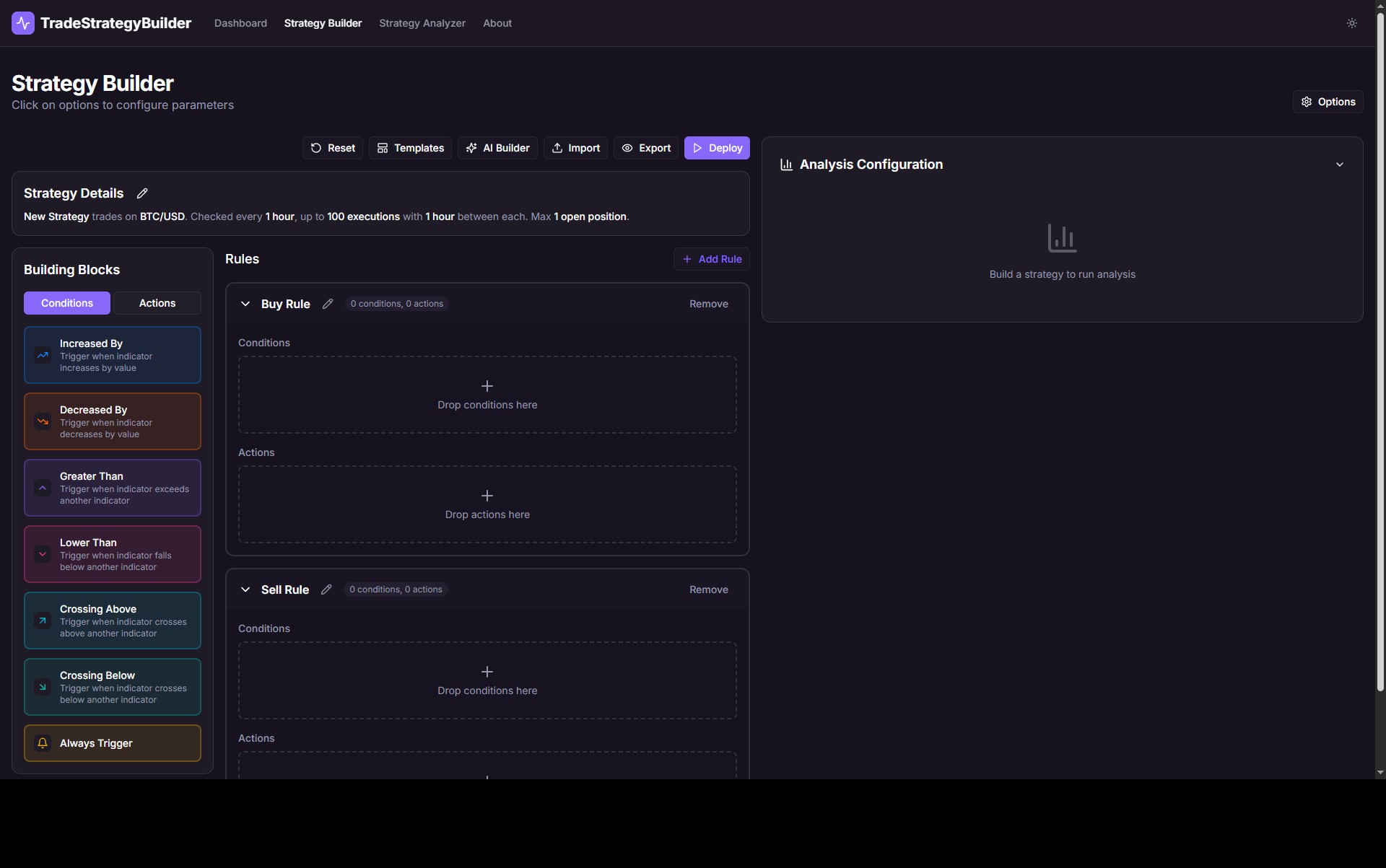
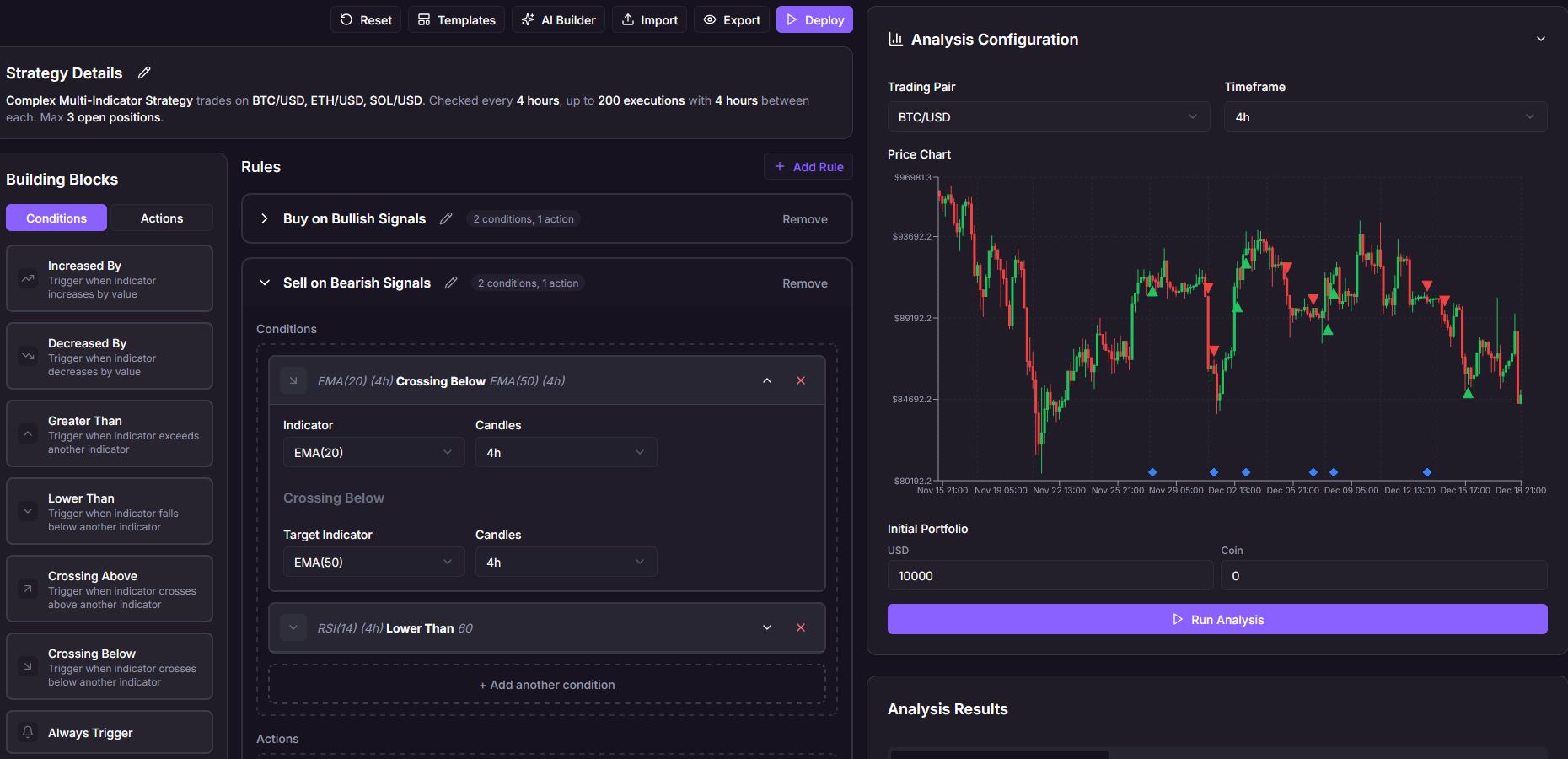
- Drag-and-Drop Strategy Building: Intuitive palette of condition and action blocks, with support for custom blocks, collapsible views, and dynamic parameter editing.
- AI-Powered Generation: Describe a strategy in plain English, select an AI model, and automatically generate a complete StrategyTemplate JSON loaded into the builder.
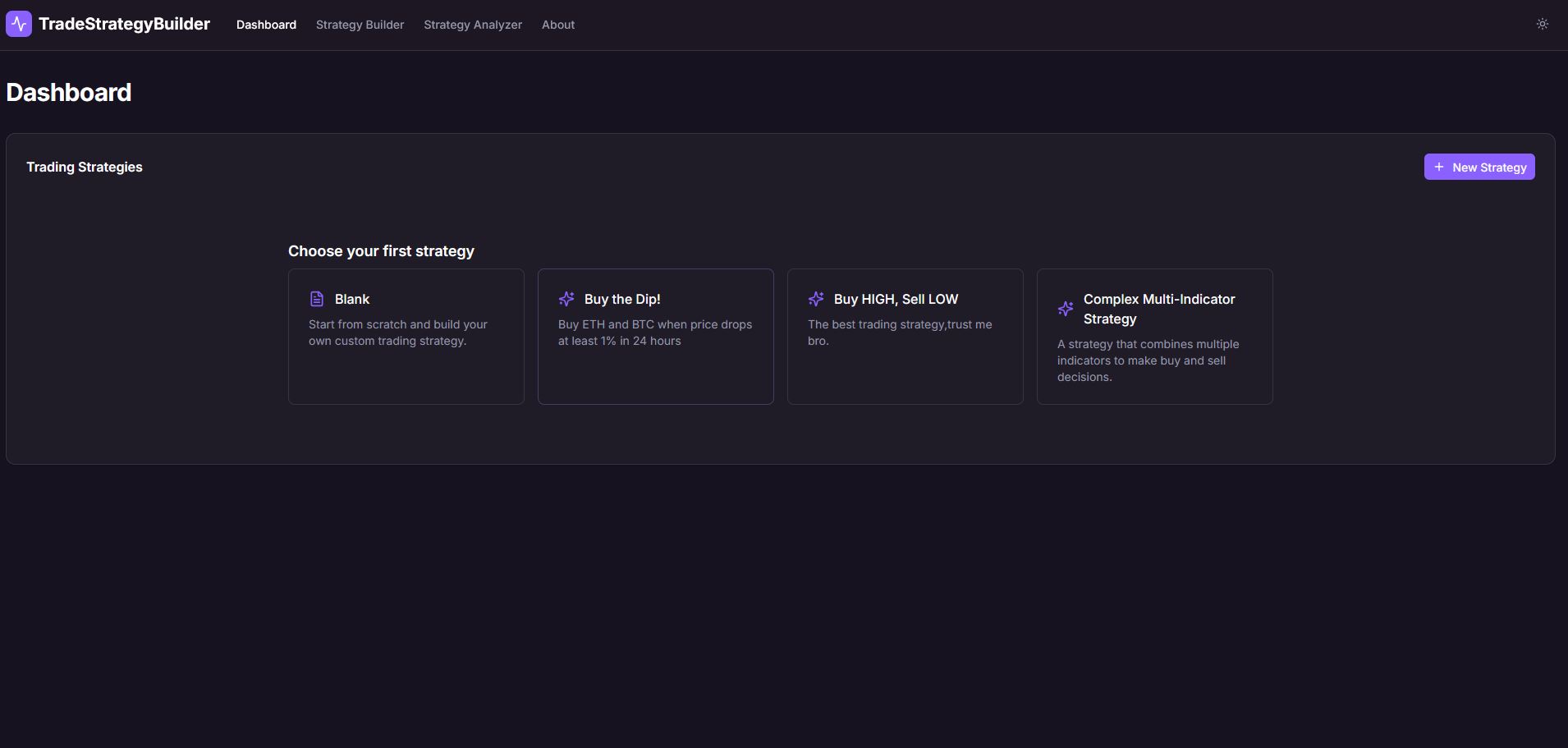
- Predefined Templates & Import/Export: Start from templates or import/export strategies as JSON for sharing or persistence.
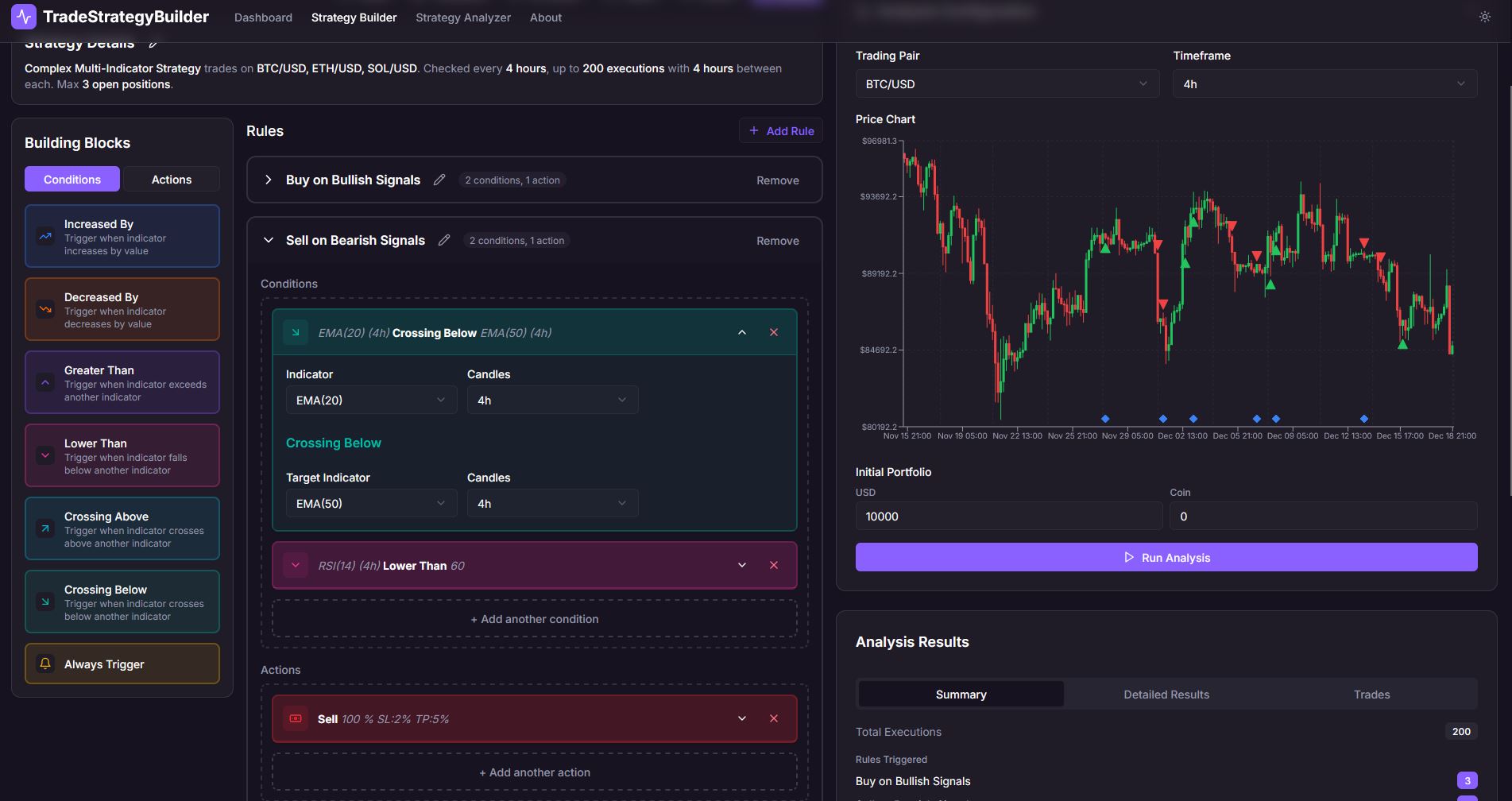
- Integrated Analysis & Backtesting: Real-time strategy evaluation with candlestick charts, rule trigger markers , trade executions, performance summaries, and trade logs.
- Customization: Override blocks, indicators, timeframes, themes (including dark mode), and predefined options.
- Dashboard Management: View, edit, analyze, or delete saved strategies in a central hub.
Technical Highlights
Built on Next.js 14+ with React for the demo app and a standalone TypeScript library for the core builder component, leveraging Tailwind CSS for responsive styling and CSS variables for seamless dark mode support. Drag-and-drop is powered by @dnd-kit/core and @dnd-kit/sortable for robust, accessible reordering and placement. The architecture separates concerns with a main StrategyBuilder component orchestrating state, serialization to a typed StrategyTemplate JSON, and callbacks for changes/save/AI calls. Backend emulation in the demo includes lightweight services for indicator calculation (e.g., RSI, EMA, MACD), rule evaluation, order handling (with stop-loss/take-profit/trailing), and multi-iteration backtesting. Custom block parameters use a 2D grid layout for intuitive UI, while AI integration dynamically generates system prompts based on current configs.
How It Works
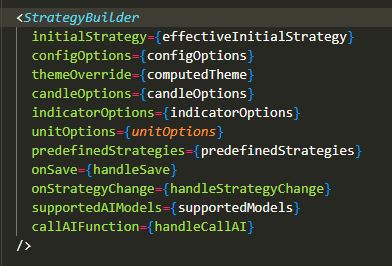
Install the package via npm install @palabola86/trade-strategy-builder, then import and use the component in your React/Next.js app, passing props like onSave, initialStrategy, configOptions for customs, or callAIFunction for AI. Configure Tailwind to include the package's styles. Workflow: Users drag blocks from the palette into rules on the canvas, edit parameters (e.g., indicator comparisons, order amounts), add multiple rules, set strategy details (symbols, execution intervals), then save/deploy. Changes trigger real-time analysis with chart visualizations and results tabs. For AI: Enter a prompt, generate JSON preview, and load it directly.
<StrategyBuilder
   initialStrategy={effectiveInitialStrategy}
   configOptions={configOptions}
   themeOverride={computedTheme}
   candleOptions={candleOptions}
   indicatorOptions={indicatorOptions}
   unitOptions={unitOptions}
   predefinedStrategies={predefinedStrategies}
   supportedAIModels={supportedModels}
   onSave={handleSave}
   onStrategyChange={handleStrategyChange}
   callAIFunction={handleCallAI}
 />
Demo & Documentation
- Live Demo: https://palabola.github.io/TradeStrategyBuilder/
- GitHub Repository: https://github.com/Palabola/TradeStrategyBuilder
- NPM Package: https://www.npmjs.com/package/@palabola86/trade-strategy-builder
- Youtube presentation: https://www.youtube.com/watch?v=b31yR6T44s8
- Comprehensive README with installation, props, custom block examples, type definitions, and dark mode setup; additional summary files for AI coding agents.
Future Enhancements
- Integrate with real backend APIs for live trading, database storage and community features (template sharing)
- Enhance AI with iterative refinement loops and human readable strategy explanation
- Support for complex condition parameters (e.g. integrate currency amount and currency type to a dedicated "currency" input type instead of two atomic inputs)
- Improve execution options handling